


What is an Operating System?
- Operating system is a system software which is required in order to run application programs and utilities. It perform interaction between application programs and all the hardware of the computer.
- Examples of operating system are UNIX, MS-DOS, Windows-NT/2000, OS/2, MS-Windows - 98/XP/Vista, android and Mac OS etc.
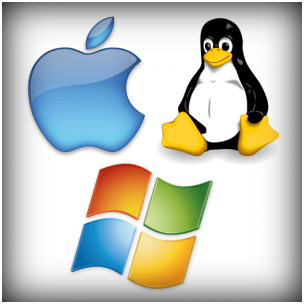 |
| Different-2 Operating Systems |
- A computer system has many resources (hardware and software), which are required r to complete different-2 task.
- Input / output equipment, memory, file storage space, CPU etc. are the most frequently needed resources.
- The operating system serves as manager of the above-mentioned resources and assigns them to specific programs and users whenever appropriate to perform a specific function.
- Operating system work as resource manager i.e. it can manage the resource of a computer system internally or externally. The resources are processor, memory, files, and I/O devices.
- In simple terms, an operating system work as interface between the user and the hardware/machine.
- An operating system or OS is a software program that allows the computer hardware to communicate with computer software and work with it.
- One computer and software programs would be useless without a computer operating system. The picture shows Microsoft's original packaging for Windows XP.
- When computers were first introduced, the user used a command line interface to interact with them, which required commands.
- But today, almost every computer uses an operating system with a GUI (Graphical User Interface), which is much easier to use and operate.
Examples of Computer Systems
- Microsoft Windows 10 - PC and IBM compatible operating system. Microsoft Windows is the most common and used operating system.
- Apple macOS - Apple Mac operating system. Today, the only Apple computer operating system is macOS.
- iOS - Operating system used with the Apple iPhone and iPads.
- Chromium - Google operating system used with Chromebooks.
- Oxygen OS - OnePlus' proprietary operating system.
- Ubuntu Linux - A popular variant of Linux used with PC and IBM compatible computers.
- Google Android - Operating system used with Android compatible phones and tablets.
Two views on Operating System
- User's View
- System View
User View
- These systems are designed to monopolize one user's energy, in order to maximize the work the user does. In these cases, the operating system is designed primarily for ease of use, with some attention being paid to performance, and none being paid to use of resources.
System View
- A computer system is made up of many resources such as-hardware and software-that have to be handled efficiently. The operating system serves as resource manager, determines between competing demands, manages program execution etc.
Operating System Management Tasks
- Processor Management which involves putting the tasks into order and pairing them into manageable size before they go to the CPU.
- Memory Management which coordinates data to and from RAM (random-access memory) and determines the necessity for virtual memory.
- Device Management which provides interface between connected devices.
- Storage Management which directs permanent data storage.
- Application Management which allows standard communication between software and your computer.
- User interface which allows you to communicate with your computer.



